Keys
Keys section — your secure local storage of cryptographic keys for current network. Private keys required for signing transactions and any changes in blockchain are stored here.
Role of keys in Lantstool:
- Without keys: You can view information in network and perform calls (view methods).
- With keys: You get ability to send transactions, as these actions require cryptographic signature and gas payment.
Lantstool — fully non-custodial application.
- Your private keys and seed phrases are stored exclusively locally in database (SQLite) of your browser.
- No sensitive data is ever transferred to Lantstool servers or any other third-party services.
Key list
Upon entering section, you will see list of all keys you have already imported into this network.
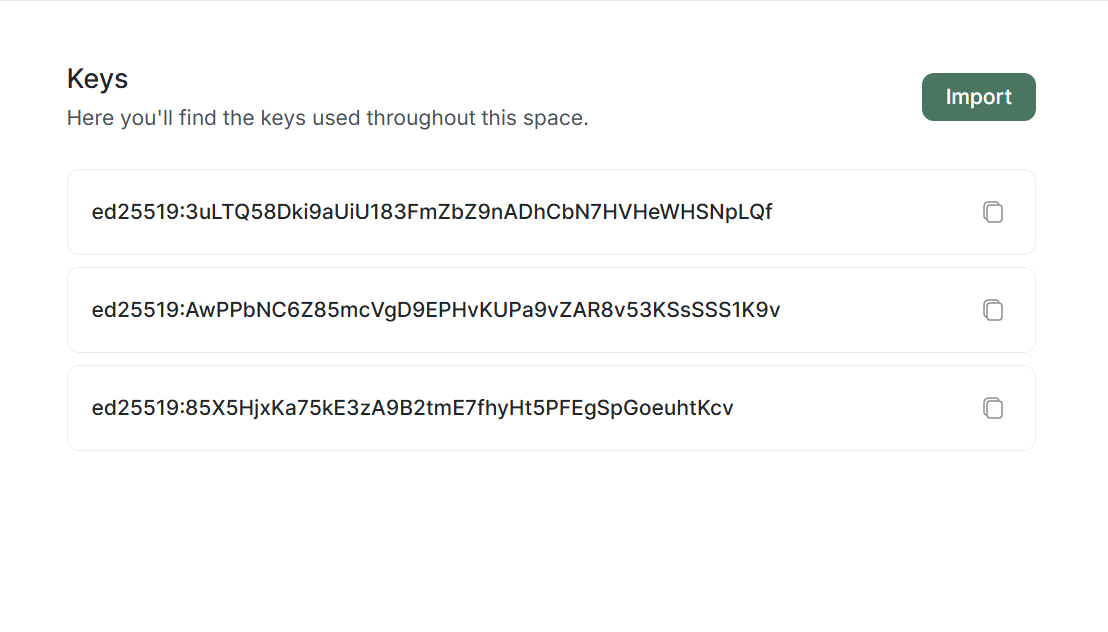
- If list is empty, you will be prompted to import first key.
- If keys exist, you can add new ones by clicking
Importbutton.
Key import
Lantstool supports two main methods for adding keys:
Import via seed phrase
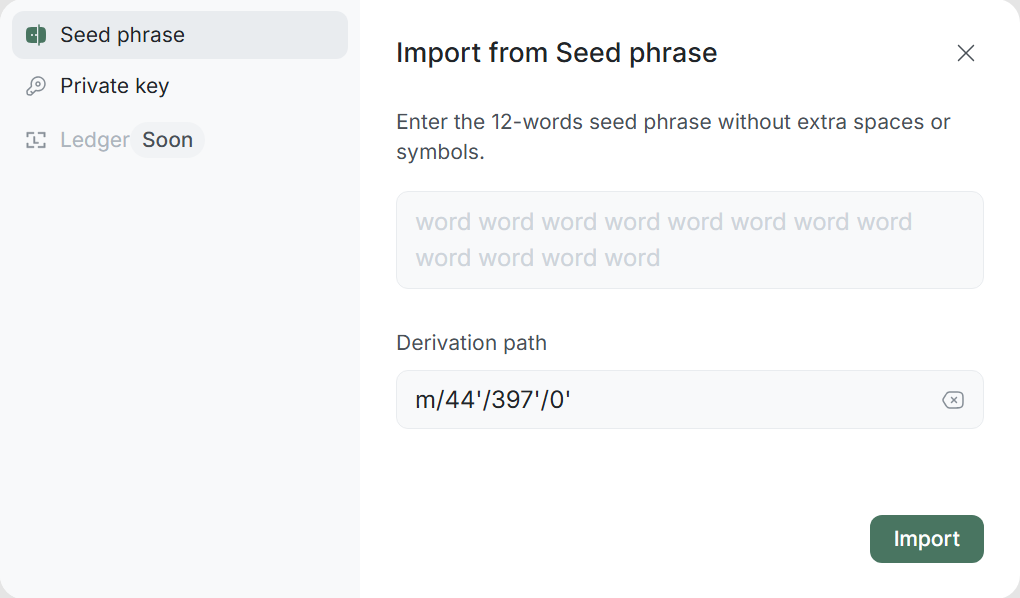
- Go to Seed phrase tab.
- Enter your phrase (12 words) into field. Enter words separated by spaces, without extra characters.
- Derivation Path: Standard NEAR path (
m/44'/397'/0') set by default, but you can change it if necessary.
Import via private key
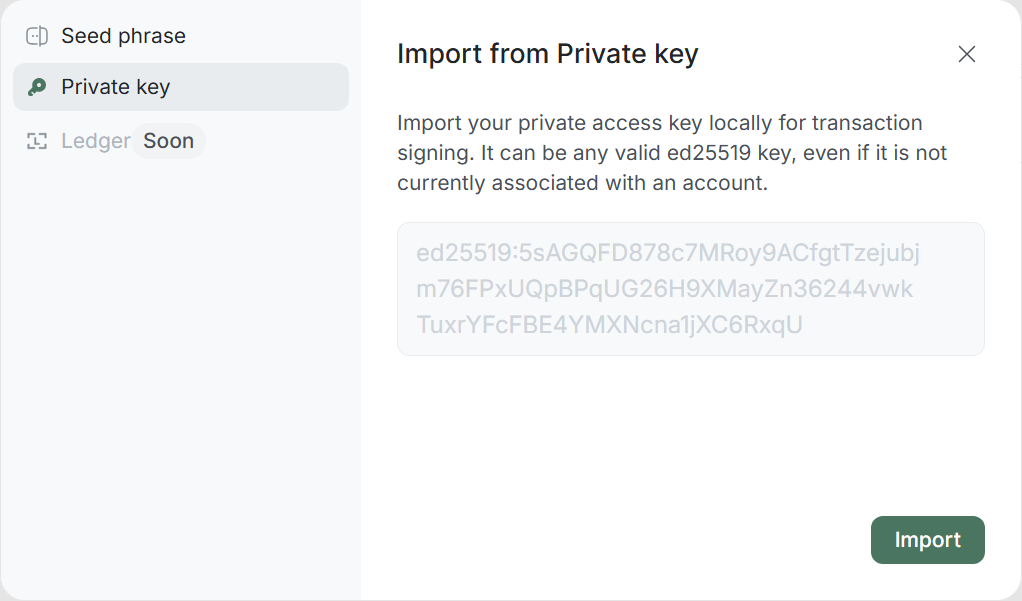
- Go to Private key tab.
- Paste your key (starts with
ed25519).
You can import any valid ed25519 key, even if currently it is not linked to any account in blockchain. This allows preparing keys for future operations (e.g., for Add Key transaction).
Key details
By clicking on any key in list, you will proceed to its detailed view.
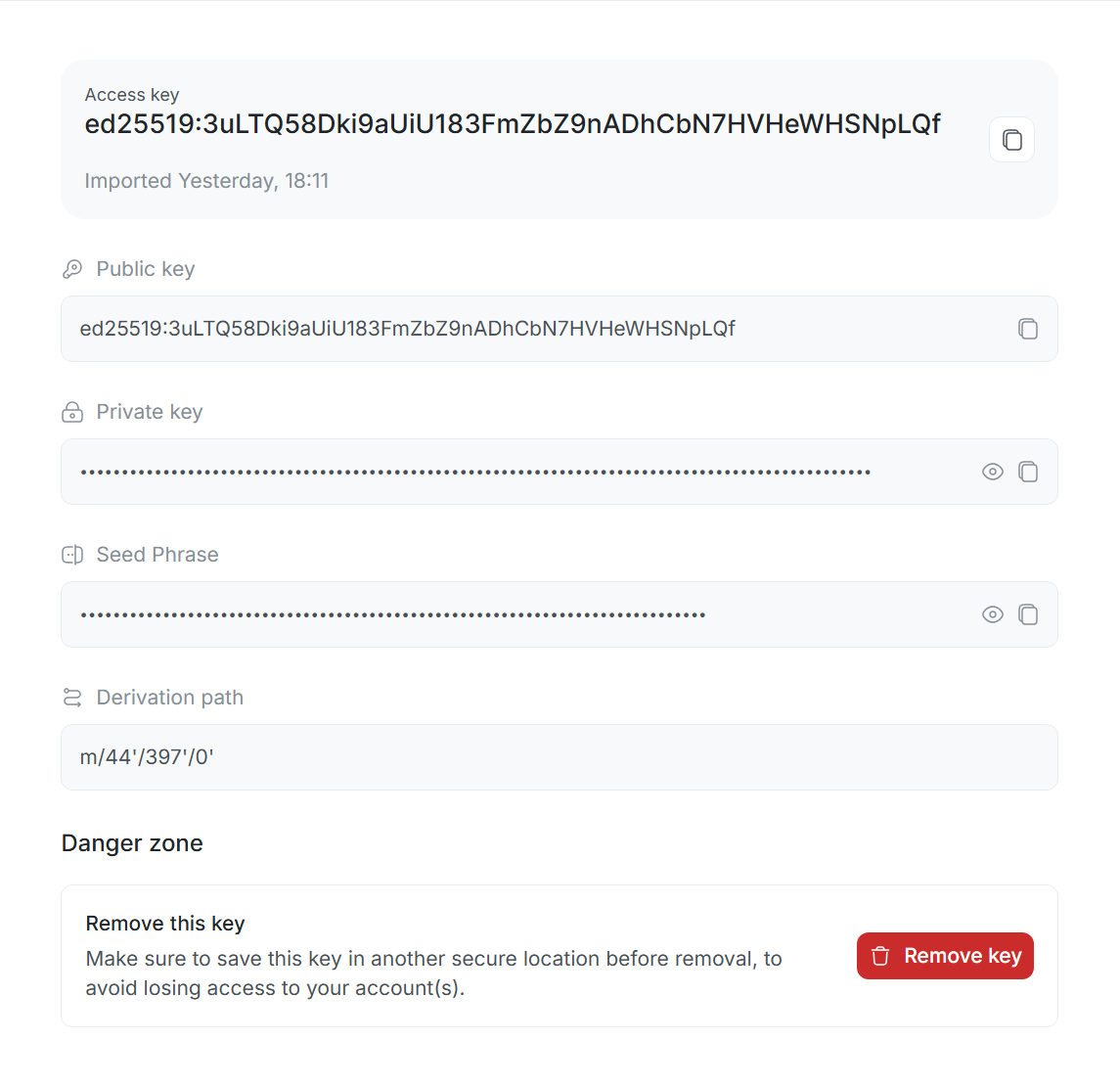
Public information:
- Public Key: Public key — open part of your key pair, registered in network as Access Key for specific account. Key recorded directly into account state in blockchain. Used for digital signature verification. When you send transaction, network checks if provided signature matches your public key. Public key does not grant access to your assets without corresponding private key.
Private information: These data are critical for security, so they are hidden by default.
-
Private Key: Secret cryptographic string used by
ed25519algorithm for operation authorization in blockchain. Based on private key, unique digital signature is generated, confirming that you signed transaction. Possession of it is equivalent to possession of funds on account. Lantstool uses it exclusively locally for signing transactions, without transferring to network. -
Seed Phrase: Set of 12 words, which is source for generating specific private key.
-
Derivation Path: Path indicating to algorithm exactly how this specific key was generated from your seed phrase. Standard NEAR path (
m/44'/397'/0').
Key removal
To remove key from Lantstool local storage, click on trash icon next to selected key.
Protection against accident: To prevent accidental loss of access, Lantstool requires mandatory action confirmation:
- Modal window will appear on screen.
- You must paste public key you are removing into corresponding field.
Removebutton becomes active after filling field.
Key removal from Lantstool is irreversible!
Ensure you saved copy of this key or have other access methods (other keys, seed phrase). If this was your only key of full access (Full Access) and you do not have its copy — you will forever lose control over account and funds.