Networks
Network — isolated level within your space that defines specific blockchain network (mainnet, testnet, or localnet). Network configuration determines where your transactions and calls (RPC-calls) will be directed and what data (keys, accounts, etc.) will be available.
Network creation and management
Navigation
Click on current network name in top left corner. Following actions are available in menu:
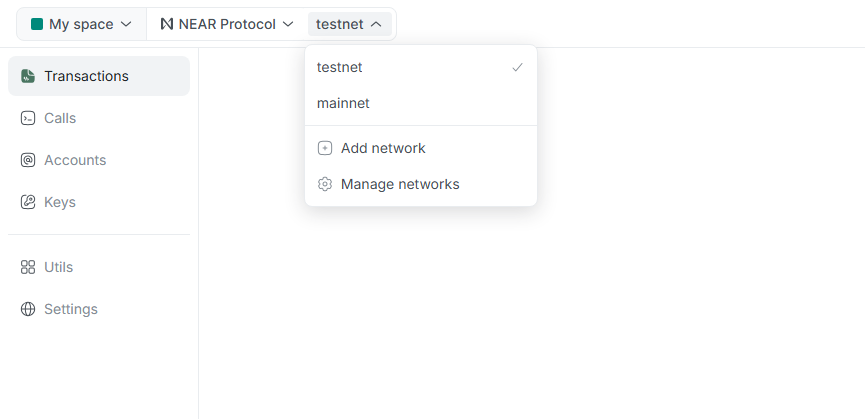
- Network list: Quick navigation between all networks in current space.
- Add network: Transition to page for adding new network.
- Manage networks: Transition to page for managing all networks in current space.
New network creation
Within one space, each network must be unique.
You cannot add network that already exists in current list. For example, if testnet is already configured in your space, system will not allow adding another testnet instance.
To create new network, use Add network button in top menu or on page for managing all networks.
Lantstool offers two ways to create network, depending on your needs:
Method A: Presets
Ideal for quick start of standard networks (mainnet and testnet). Network added automatically with set of verified and reliable RPCs.
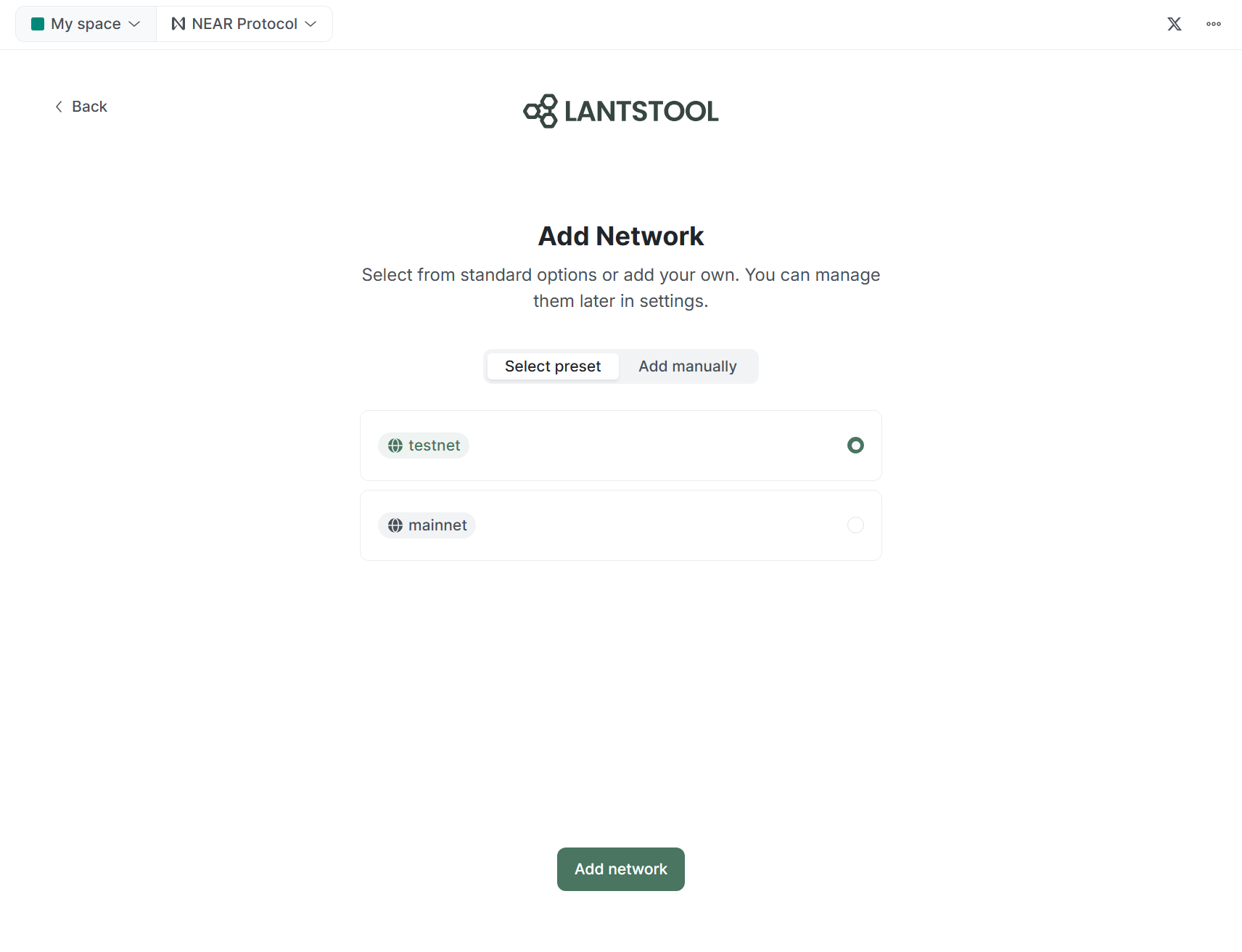
- Select Select preset.
- Choose mainnet or testnet network.
- Click Add network.
Method B: Manually
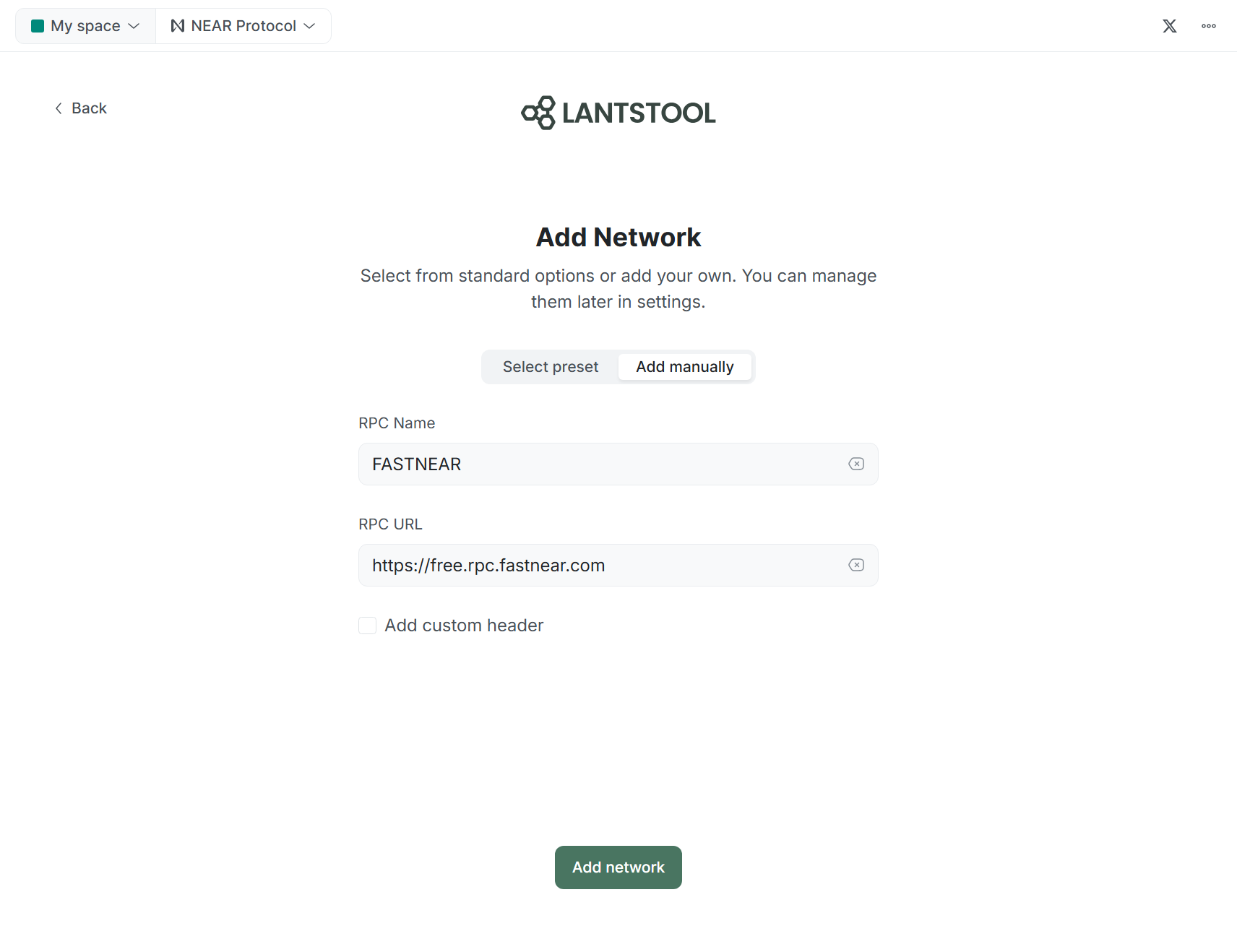
Use this method for manually connecting to local networks (localnet), public, and private RPCs.
-
Choose Add manually.
-
Fill in main fields:
- RPC Name: Display name (e.g.,
FASTNEAR). - RPC URL: RPC address (e.g.,
https://test.rpc.fastnear.com).
- RPC Name: Display name (e.g.,
-
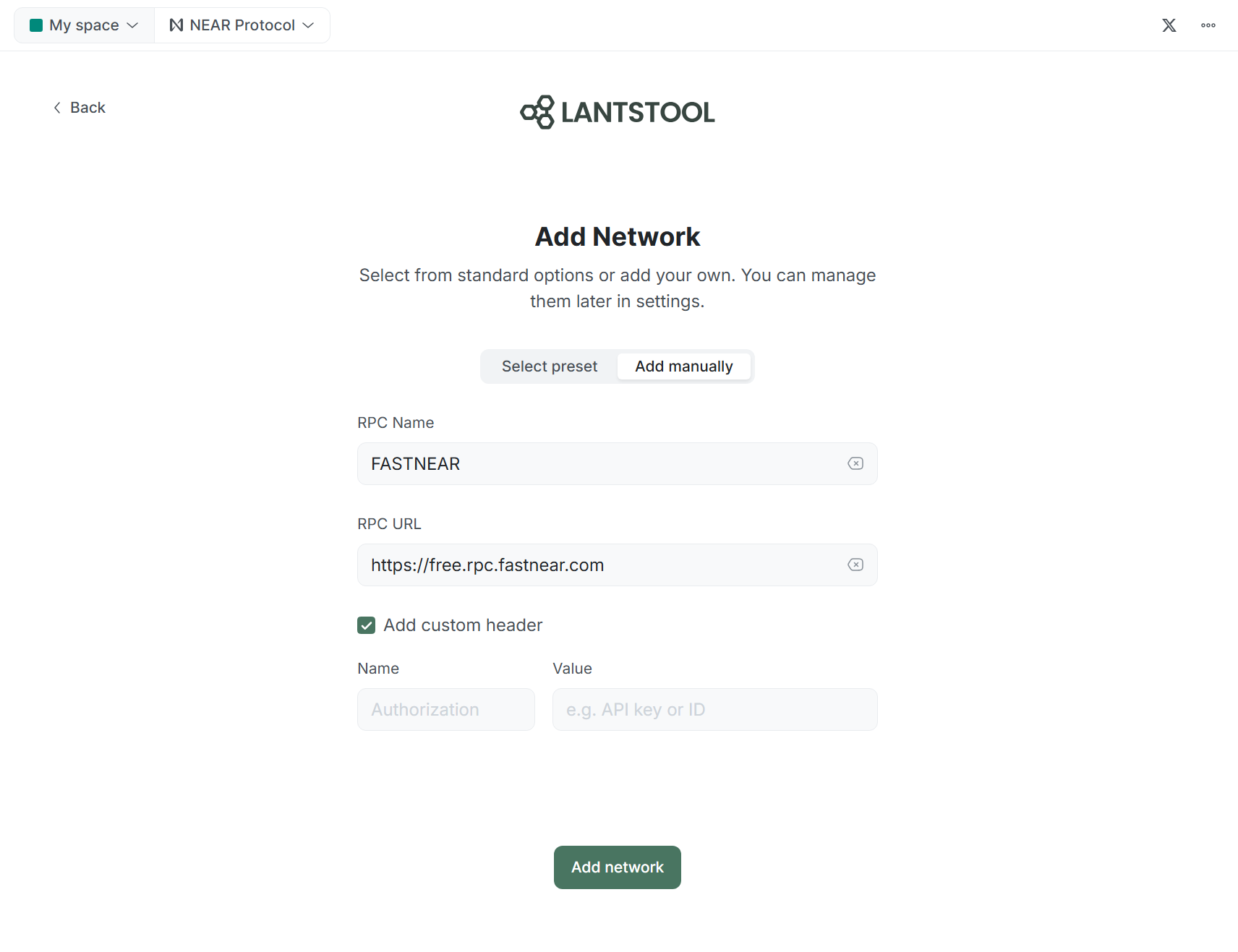
Add custom header (optional): If your RPC provider requires authorization (e.g., private or paid nodes), check box and fill in required
NameandValuefields.
Instructions for running your own localnet can be found in official NEAR Protocol documentation .
RPC and settings
In settings of each Network, you can manage list of RPC nodes.
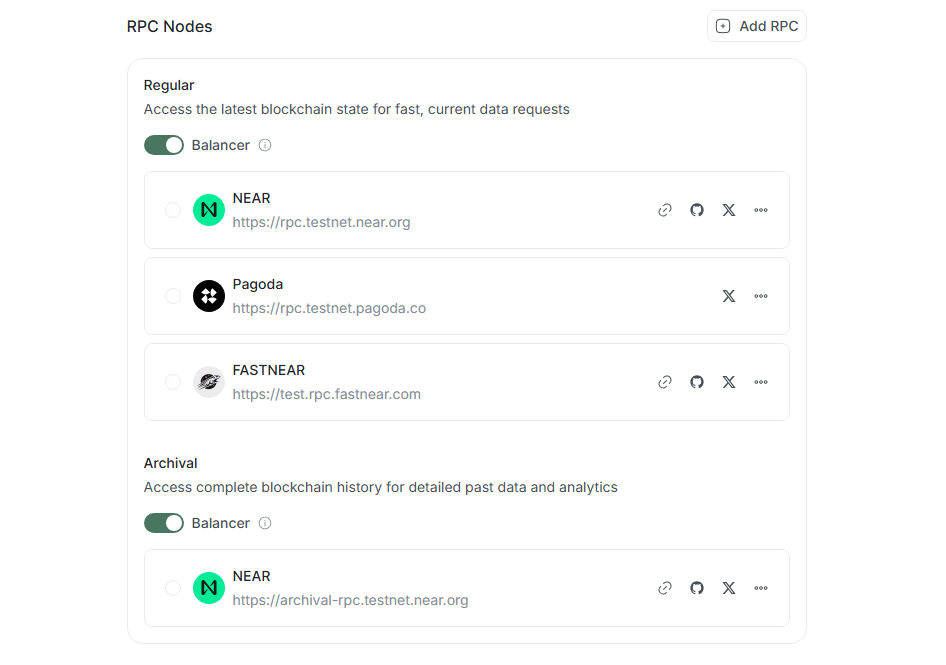
RPC types
- Regular (RPC Node) — standard access points for developers. They are optimized for fast interaction with current network state (sending transactions, checking balances). Such nodes store history for only few recent epochs (~ 2.5 days).
- Archival (Archival Node) — nodes that store full copy of blockchain data and archive of historical states since creation (Genesis). They are necessary for chain analysis or obtaining data on archival transactions that are no longer available on regular nodes.
Balancer
By default, Lantstool uses Balancer — mechanism that automatically distributes requests among all available RPCs in list. This allows avoiding overloads and restrictions (Rate Limits). You can disable it to force usage of only one specific RPC.
RPC addition and management
Expand list of available RPCs by clicking Add RPC. Available options depend on type of network created:
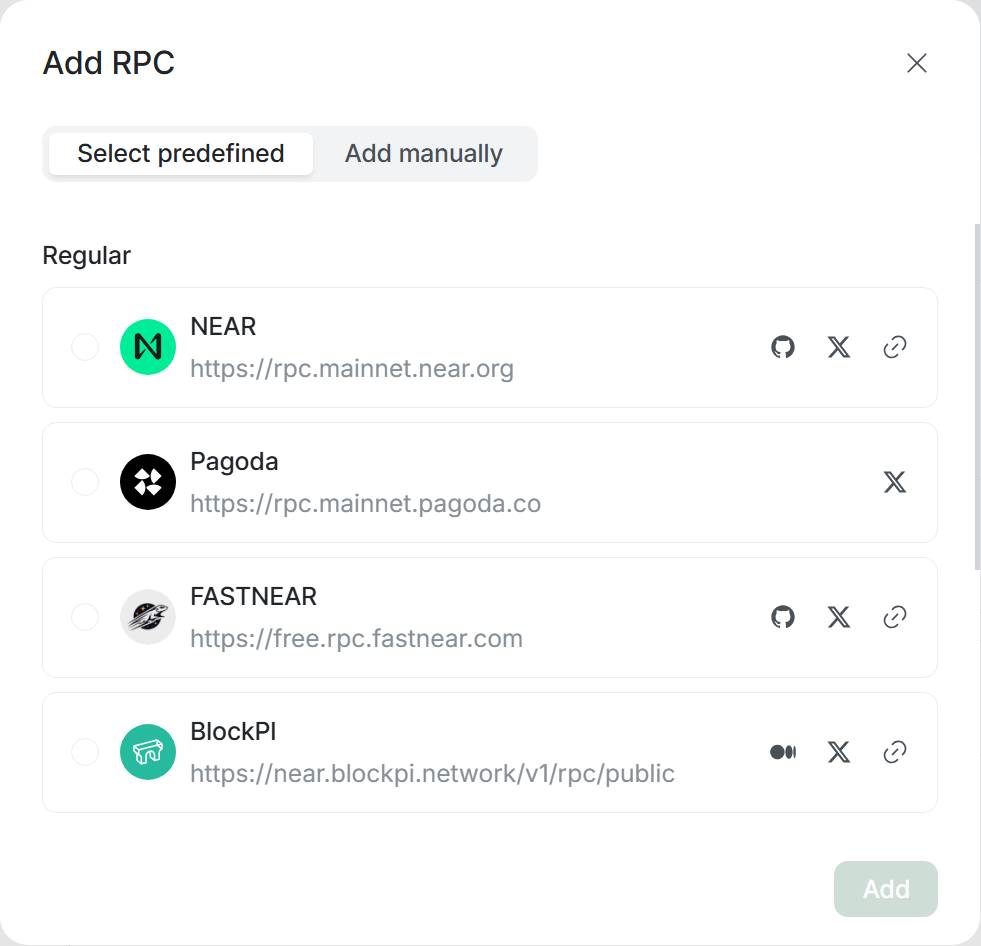
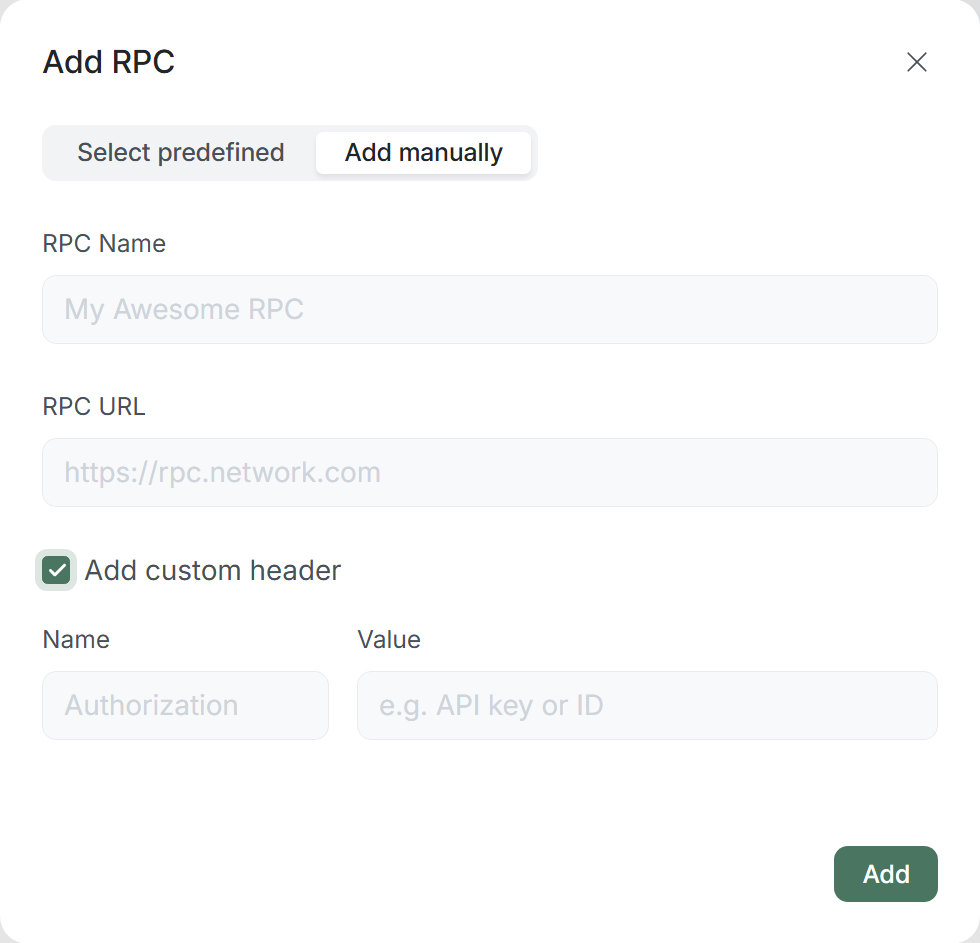
- For networks created via preset: You can add new RPCs only manually (Add manually).
- For networks created manually: You will have access to Select predefined tab (list of verified public RPCs), as well as ability to add RPC manually (Add manually).
You can edit or delete RPCs added manually. Built-in (Predefined) RPCs can only be disabled or removed from list.
Network deletion
To delete network, click Delete Network button located in Danger Zone, and confirm deletion in modal window by entering current network name.
This action is irreversible. Along with network, all following will be deleted: All keys, accounts, transactions, calls, and other data belonging to this network!
➡️ What’s next?
- Transactions: How to create complex multi-action transactions.
- Calls: How to send RPC call.
- Utils: Overview of useful Lantstool utilities.