Utils
Utils section — set of helper utilities created for automating routine tasks frequently occurring during development and testing in NEAR ecosystem. Instead of using third-party services or writing your own scripts, you can generate keys, convert values, and clean accounts with large state directly in Lantstool.
Key Generator
This utility intended for quick generation of new key pairs in NEAR network.
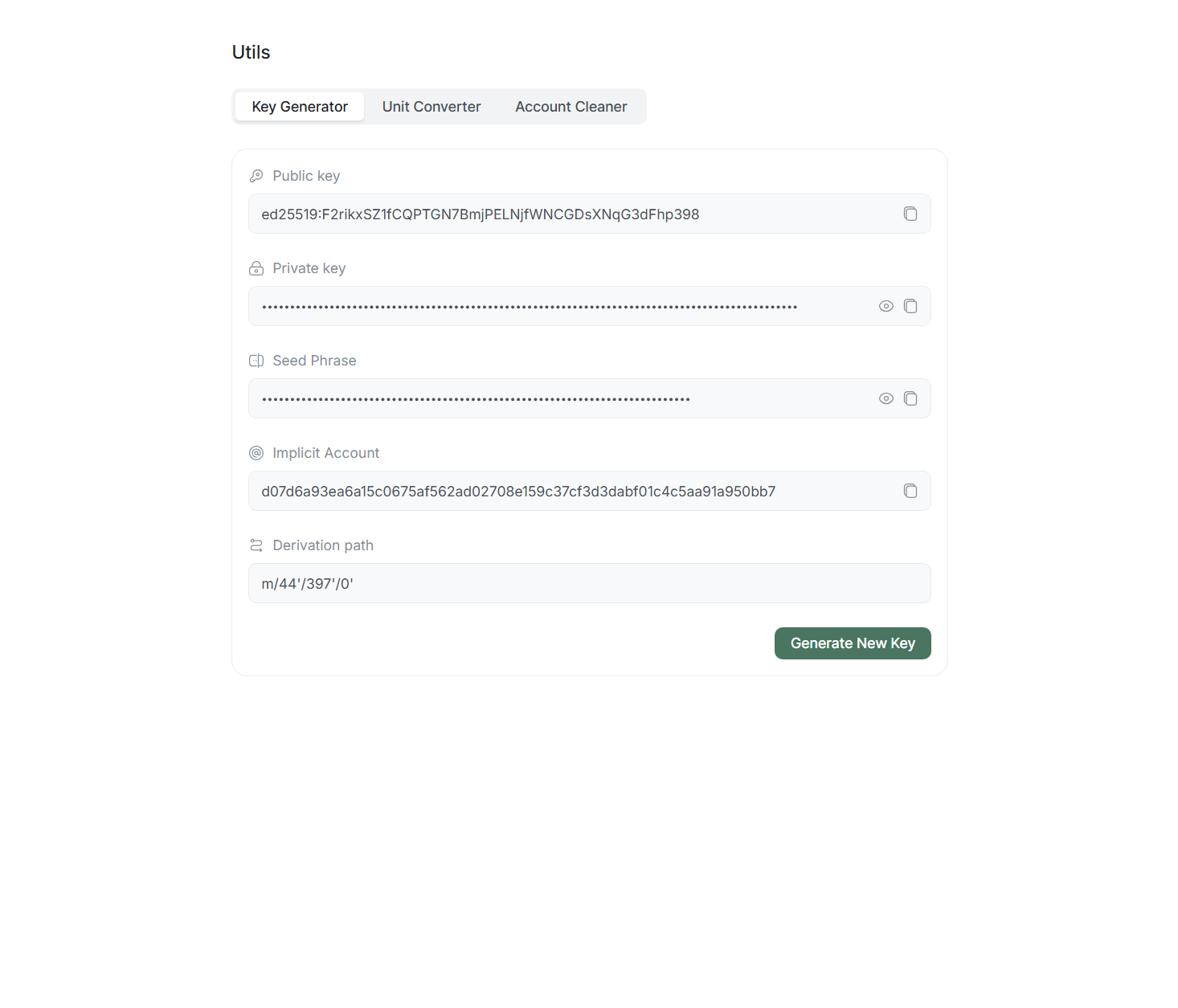
Features:
- Generation only: Tool works exclusively for generation. You cannot manually change any field.
- Full data set: Upon each Generate New Key click, system creates new pair: Public key, Private key, Seed Phrase, and corresponding Implicit Account.
- Fixed path: Standard derivation path
m/44'/397'/0'always used for generation.
Unit Converter
Tool for value conversion between tokens and minimal units (e.g., NEAR and yoctoNEAR).
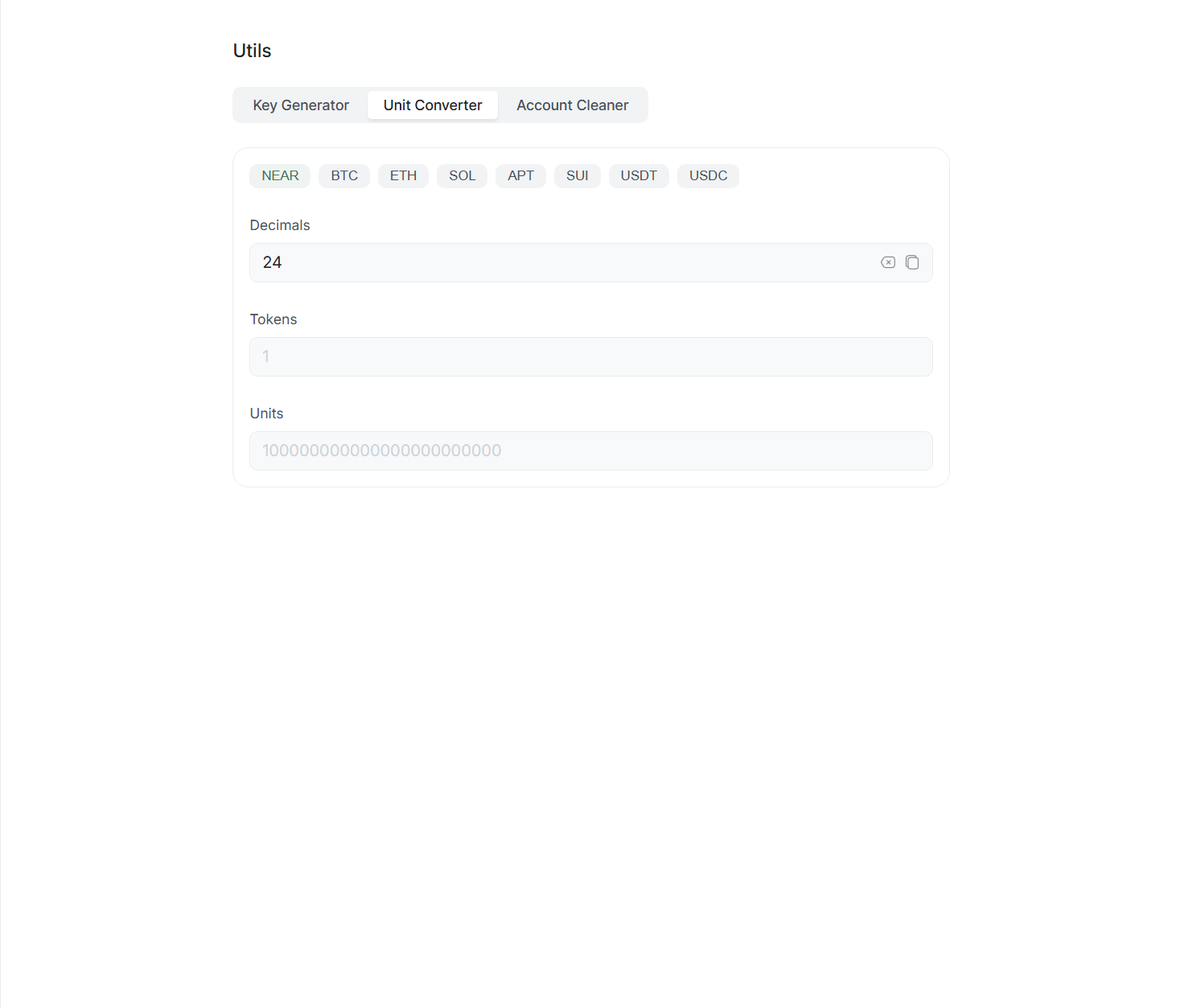
Features:
- Converter works in both directions: You can enter values in Tokens field (whole units) or Units field (minimal units).
- Currency presets: Upon token selection (NEAR, BTC, ETH, SOL, etc.), corresponding Decimals number set automatically (e.g., 24 for NEAR or 18 for ETH).
- Various currencies support: You can manually change decimal places number if working with specific contracts or tokens.
To learn more about why NEAR or yoctoNEAR exist, watch video:
Why Are Crypto Numbers So Long? A Short History of Money
Account Cleaner
This tool created for cases where standard account deletion in NEAR impossible due to network technical limits.
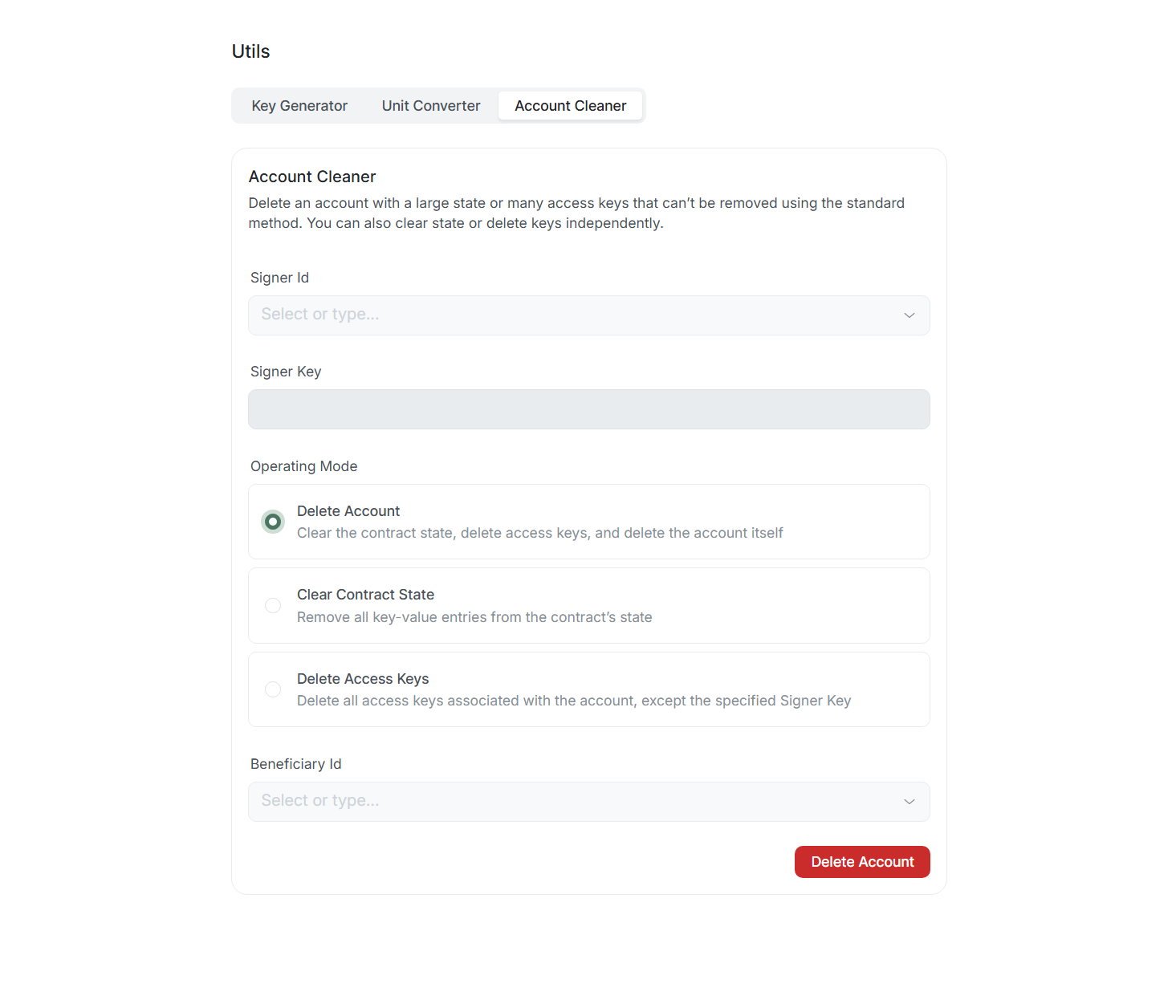
Blockchain has gas limits for single transaction. If smart contract with large state (Large State) or hundreds of access keys deployed on account, regular deletion attempt will end with Exceeded the prepaid gas error.
Operation modes:
- Delete Account: Full cleaning: contract state deletion, all keys deletion, and account deletion with transferring remaining funds to Beneficiary Id.
- Clear Contract State: Deletion of all records (
key-value) from smart contract state. - Delete Access Keys: Deletion of all access keys except one you use to sign this operation (Signer Key).
Using Account Cleaner — irreversible operation. Ensure you chose correct mode and specified correct data.